

Tenels Food
Online food shop · by Tenels
Fill the cart by clicking, or just by chatting.
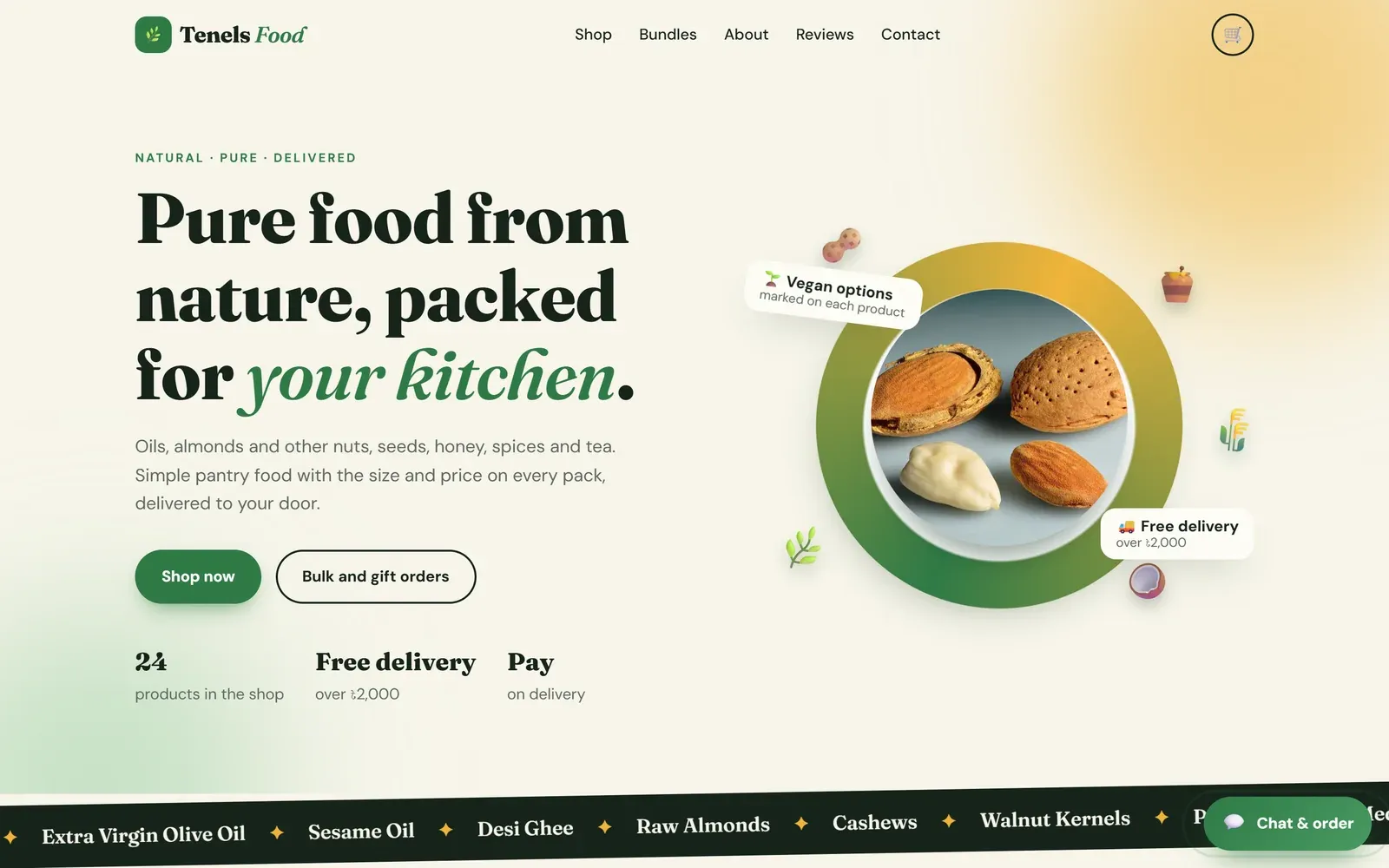
A one-page online shop for natural pantry food: oils, nuts, seeds, honey, spices and tea. Shoppers can browse and add to the cart, or tell the assistant “add 2 almonds and a honey” and watch it happen.
- Pay on delivery
- Prices in Taka
- Bangla names understood
- Made for phones
- 24
- products in five groups
- 3
- ready-made bundles
- 1
- cart shared by page and chat
- 0
- accounts needed to order
The shop
Everything on one page, nothing to dig for.
01
A catalogue that shows what you get.
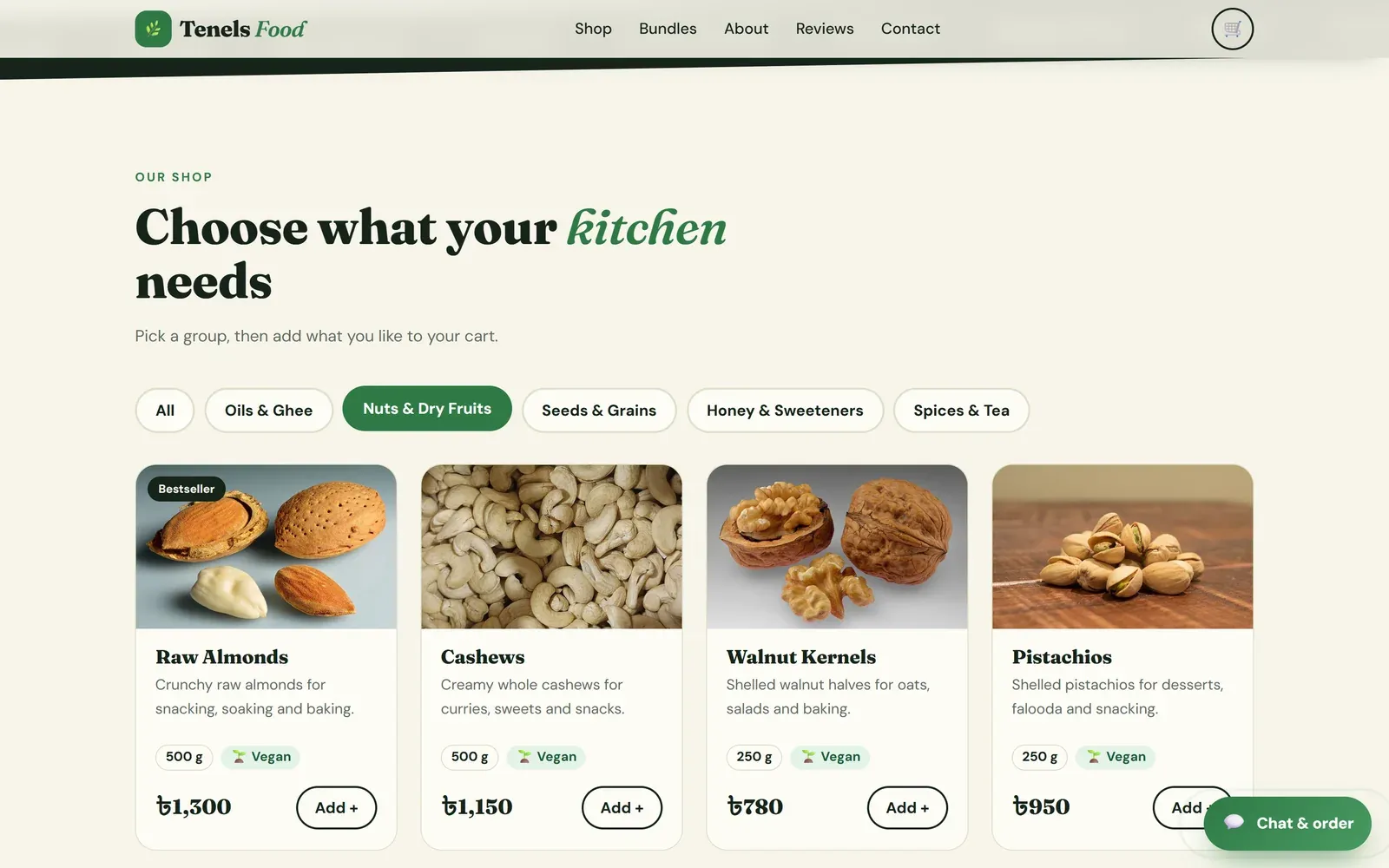
Each card carries a photo, a one-line note, the pack size, the price in Taka and an Add button. A vegan label and tags such as “Bestseller” help a shopper choose at a glance.
- One tap switches between All and any of five groups
- 22 of the 24 products carry a vegan label
- Prices in Taka, with the size on every card
- Oils & Ghee 5
- Nuts & Dry Fruits 6
- Seeds & Grains 5
- Honey & Sweeteners 3
- Spices & Tea 5
02
Bundles that sell a little more.
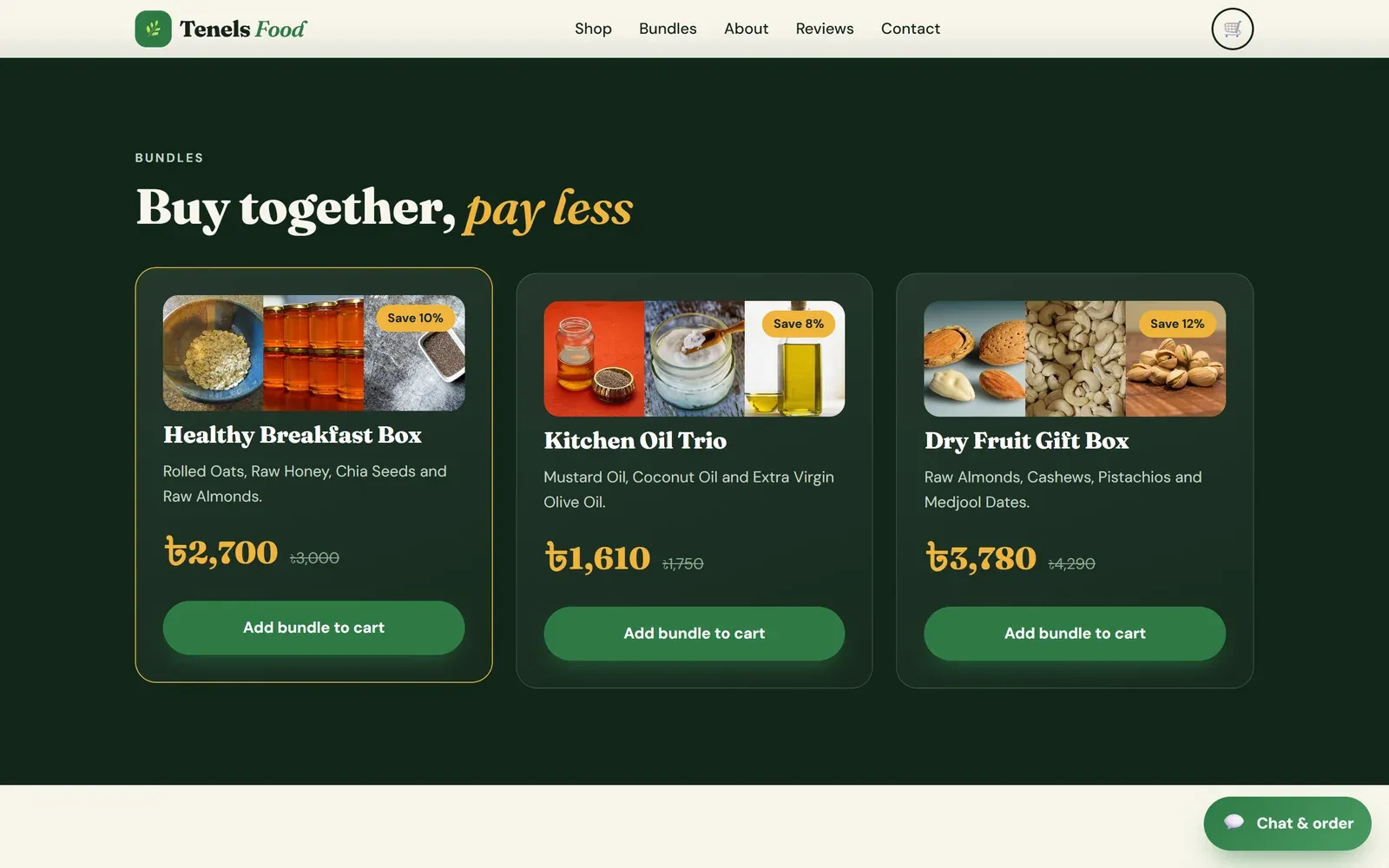
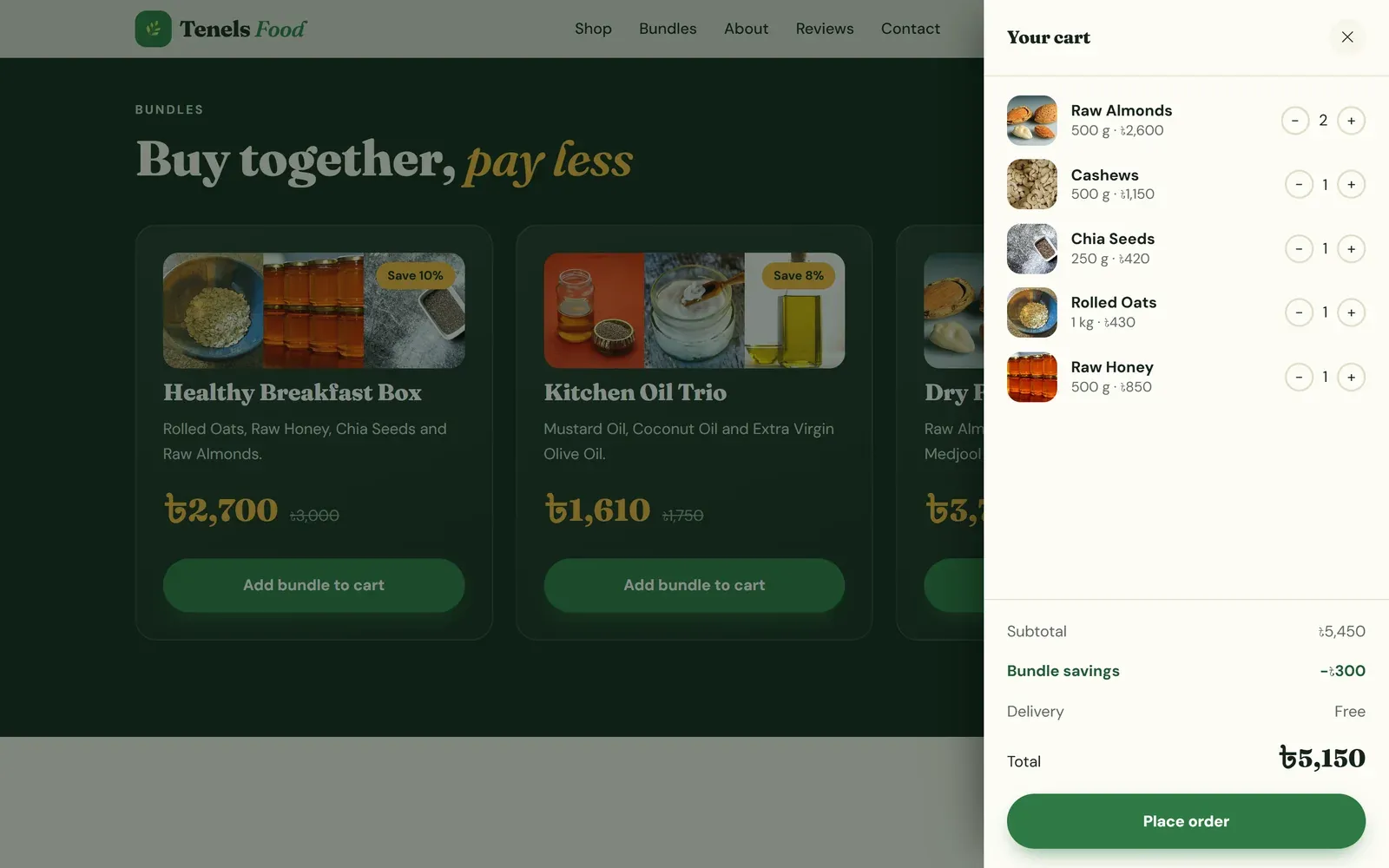
Ready-made boxes, each with its saving shown on the card. One tap adds the whole box, and the cart shows what the shopper saved.
- Three boxes: breakfast, kitchen oils and a dry fruit gift box
- The saving is a percentage you set per box
- A good fit for gifts and first orders
03
A cart that does the arithmetic.
A slide-in cart with plus and minus buttons for every item. It shows the subtotal, the bundle savings, the delivery charge and the total, and tells the shopper how much more to add for free delivery.
- Subtotal, savings, delivery and total, always in view
- “Add this much more for free delivery” nudge
- Pay on delivery, with a clear Place order button
Chat ordering
Tell it what you want. It fills the cart.
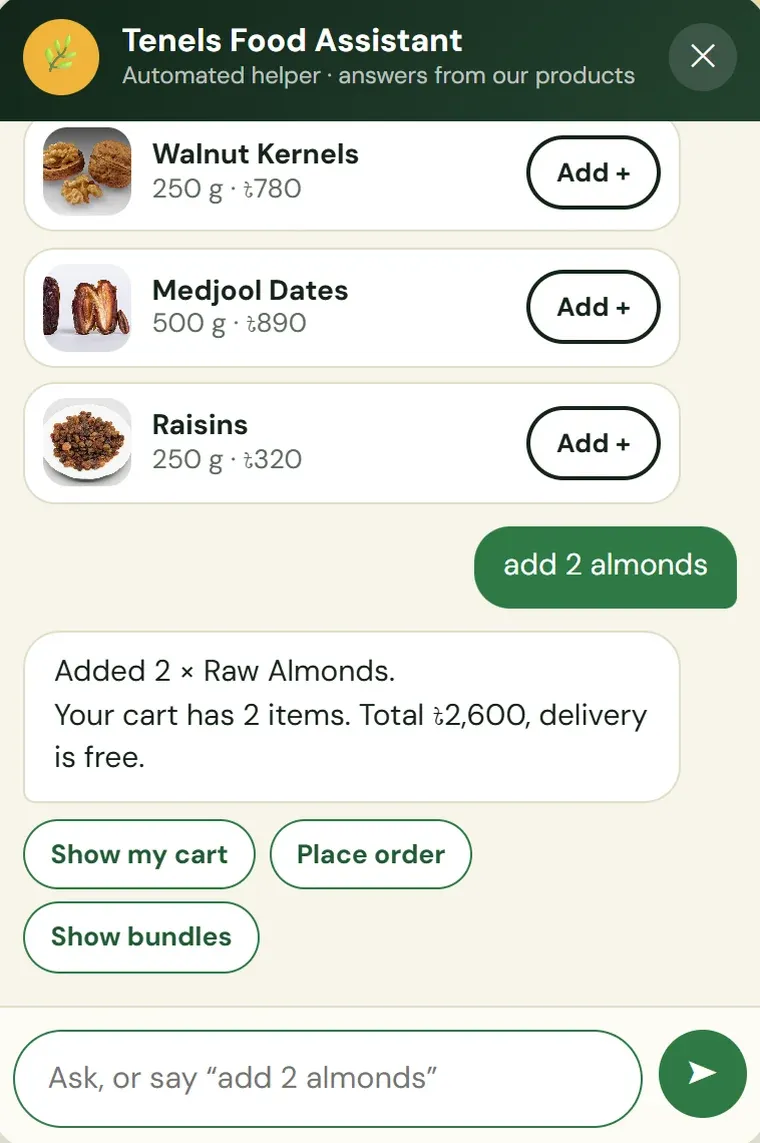
A helper sits at the bottom right of the page. Shoppers type in plain words, and it finds the products, adds them to the same cart as the page, and answers questions about hours, delivery, bulk orders and payment.
- show oils
- popular products
- vegan nuts under 900
- price of raw honey
- add 2 almonds and a honey
- remove the mustard oil
- show my cart
- sorisha
- Lists, filters and prices products, and reads back the cart and total
- Adds and removes items, or a whole bundle
- A rule-based helper that runs in the browser: it is not an AI language model, and nothing a visitor types leaves the page
Delivery rules
Your rules, built into the cart.
The shop applies your delivery terms for the shopper, so the total they see is the total they pay, in the cart and in the chat.
-
A delivery charge
A flat charge that drops to nothing above a set order value.
-
A minimum order
Orders below it are asked to add a little more.
-
Times by area
One delivery window inside the city and a longer one outside it.
-
Pay on delivery
No online payment is needed to place an order.
And the rest
Small details that keep orders coming.
- 01
One cart, two ways in
Whatever is added in the chat appears in the cart on the page, and the other way round. The count updates in both places.
- 02
Understands local words
Shoppers type everyday names, including Bangla names in English letters, such as “sorisha” for mustard oil.
- 03
Asks before it acts
The assistant asks for a yes before it places an order or clears the cart.
- 04
Says when it does not know
Where the shop has no information, for example certificates, allergens, calories or live stock, it says so instead of guessing.
- 05
Bulk and gift enquiries
A short form (name, phone, interest, note) for larger or gift orders, shown beside the shop hours.
- 06
Shop details in one place
Address, phone, email and opening hours in the footer and the contact section.
- 07
Photo credits built in
A credits list names the author and licence of every product photo.
- 08
Fits every screen
Hero, scrolling product ticker, bundles and reviews adapt to phone, tablet and desktop, and the chat window always stays on screen.
Put your food shop online.
Tell us what you sell and who you sell to. We will walk you through the shop and show how your own products would look in it.
More from Tenels
Related products
-
Falaq Leader
Online store, orders, stock and delivery for retail sellers.
View product -
Falaq Pharmacy
Stock, sales and supplier orders kept in one system.
View product -
Tenels Commerce
Orders, inventory, shipping and finance from one connected platform.
View product -
Tenels Connect
AI-powered call management, routing and analytics.
View product


Photo credits
The product photographs in the screens above are Creative Commons or public-domain works from Wikimedia Commons. Authors and licences:
- Mustard Oil & Seeds - Kolkata 2003-10-31 00537 Biswarup Ganguly · CC BY 3.0
- Coconut-oil-on-wooden-spoon greek food ta mystika · CC0
- Bottle of olive oil margenauer from Pixabay · CC0
- Sesame oil photo Dr. Satish Upalkar · CC BY-SA 4.0
- Butterschmalz-3 Rainer Z ... · CC BY-SA 3.0
- Almonds - in shell, shell cracked open, shelled, blanched Ivar Leidus · CC BY-SA 4.0
- CASHEW NUTS Ranjithkumar Murugesan · CC0
- Walnuts - whole and open with halved kernel Ivar Leidus · CC BY-SA 4.0
- Pistachio Nuts (Day 13 of 50) (23183126032) Austin Kirk · CC BY 2.0
- Świeży daktyle odmiany MEDJOOL ORGANIChouse · CC BY-SA 4.0
- 2023 Rodzynki (1) Jacek Halicki · CC BY-SA 4.0
- Chia Seed Jubair Bin Iqbal · CC BY-SA 4.0
- Brown Flax Seeds Sanjay Acharya · CC BY-SA 3.0
- Quinoa closeup Pom² · CC BY-SA 3.0
- Rolled oats in bowl 2 Bodhi Peace · CC BY-SA 4.0
- Brown rice (whole grain rice) photographed in West Bengal, India Billjones94 · CC BY-SA 4.0
- Honey miele Marcobeltrametti · CC BY-SA 4.0
- Jaggery cubes Mangosapiens · CC BY-SA 4.0
- পাটালি রামিশা তাবাস্সুম · CC BY-SA 4.0
- Kunyit Bubuk Herusutimbul · CC BY-SA 4.0
- Black Pepper IMG 4866 - 02 Hubertl · CC BY 4.0
- Canelle Cinnamomum burmanni Luc Viatour Luc Viatour · CC BY-SA 3.0
- Zhu-Ye-Qing-Tea-03 CEphoto, Uwe Aranas · CC BY-SA 4.0
- Assam-Tee SFTGFOP1 soultea.de/André Helbig · CC BY-SA 3.0